
What Are Advertisement-Based Workflows?
Advertisement-based workflows allow you to automatically manage account segments based on how the accounts engage with your Ad Campaigns. By using advertising engagement data as the workflow trigger, you can ensure your segments stay accurate and aligned with real buyer activity without having to manually update this yourself.
These workflows monitor engagement with your specific advertising campaigns and apply predefined rules to add, move, or remove accounts from segments. This enables you to easily identify accounts showing interest through ad interactions and use those segments for retargeting, personalised follow-up campaigns, or coordinated sales outreach.
How to Create Advertisement-Based Workflows
To use Advertisement as a data source, you need to have at least 1 active advertising campaign. Please review our Creating and Managing Campaigns and Ads article for information to set this up.
-
Navigate to the Workflow tab.
-
Click on + Create workflow.
- Select Advertisement and click on Next.
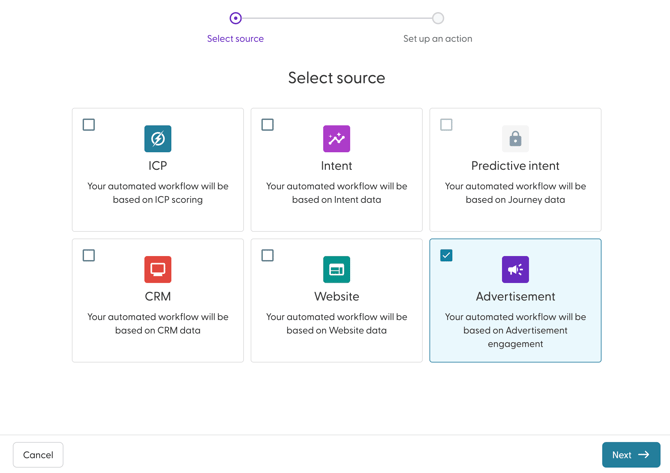
- Enter a name for your Workflow. Best practice is to use a descriptive name that includes:
- Include the engagement criteria
- The action being performed
- The campaign or intent stage
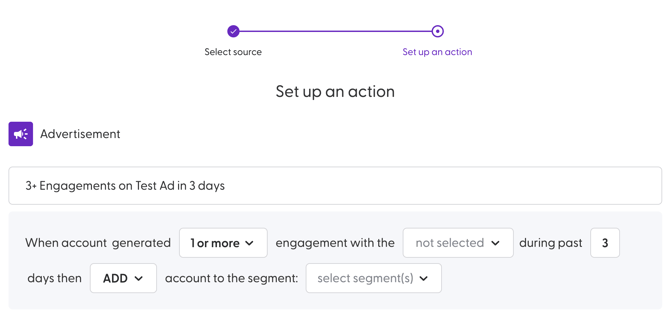
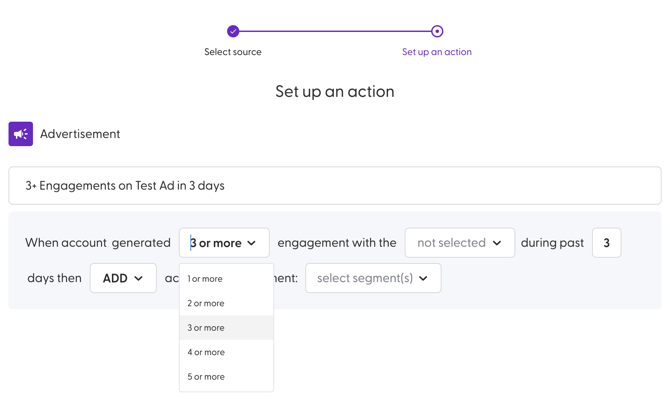
- Next, choose how many engagements should occur from the drop down for the Workflow to be triggered. You can choose from 1 or more times to 5 or more times.
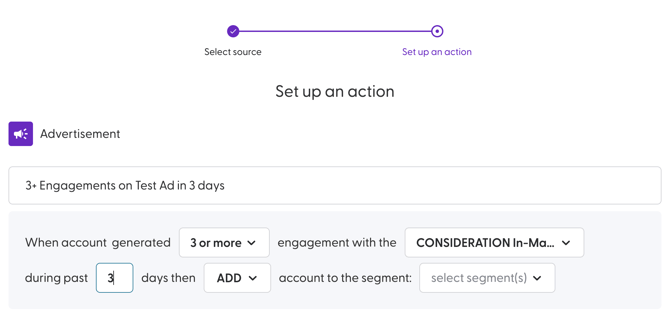
- Next, choose the Campaign that you want to check the engagements for.
- Set the number of days that the specified number of engagements should be completed within. The range is between 0 and 90 days
- Next, choose the action that should be taken. You can choose to either add, move or remove.
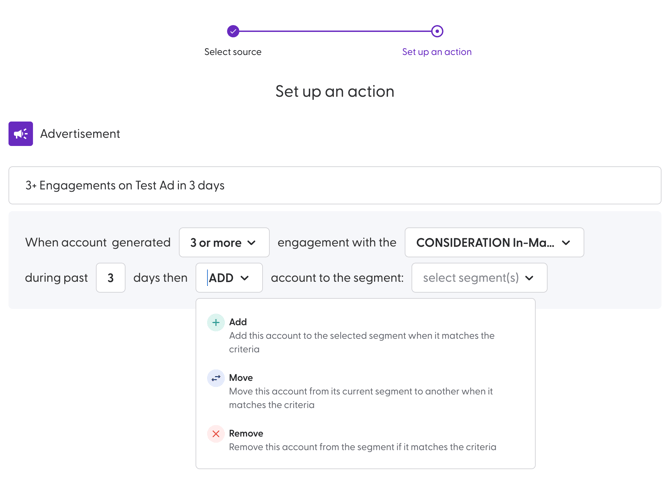
Here is a detailed description of what each action does:
Action Description Add The workflow adds an account that matches the trigger conditions to the destination segment(s). Remove The workflow removes an account that matches the trigger conditions from the source Move The workflow moves an account that matches the trigger conditions from the source segment(s) to the destination segment(s). - Next, select the segment(s) that should be updated by the Workflow. There is no limit to the number of segments that you can choose here. You can also create a segment from this modal as well.
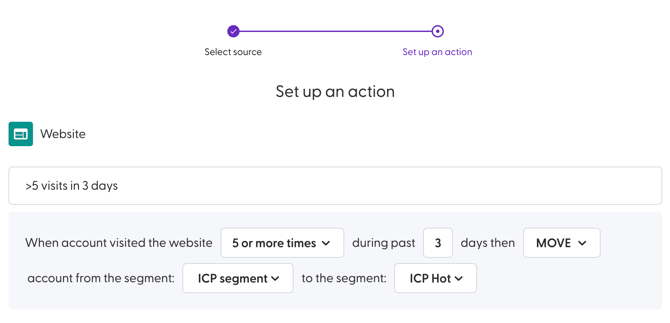
- If you choose the action to move an accounts from one segment to another, you will be required to choose the segment(s) that they should be moved from and the segment(s) that they should be moved to.
- Click Create to complete the creation process.
The Workflow will be active by default once created. Additionally, workflows are executed at least once per day. They can be executed multiple times per day, depending on the data source.
Use Case for Website-Based Workflows
Populate Segments with Accounts Engaging with Your Advertising Campaigns
Advertisement-based workflows can be used to automatically group accounts based on how they engage with your Campaigns (Ads). This can be useful to help identify engaged accounts in real time and align follow-up campaigns or sales actions with actual advertising behavior.
Goal
Use advertising engagement data to:
-
Identify accounts interacting with your ads.
-
Segment them by engagement level
-
Automatically move accounts through stages as engagement increases or decreases
-
Ensure campaigns stay aligned with real engagement signals
Step 1: Create the Advertising Campaigns to Track Engagement
Before creating workflows, ensure you have active campaigns set up, for example:
-
Awareness Campaign
-
Consideration Campaign
-
Decision Campaign
These campaigns will act as the data source for your advertisement-based workflows.
Step 2: Create the Segments to Be Used in Campaigns
Create segments as outlined below to reflect different levels of ad engagement:
-
Ad Engaged: Low
-
Ad Engaged: Medium
-
Ad Engaged: High
Step 3: Create Advertisement-Based Workflows to Populate Segments
a. Low Engagement Segment Workflow
Workflow purpose: Capture accounts showing initial interest through ads.
Rule: When an account generates 1 or more engagements with the Awareness advertising campaign during the past 7 days, then ADD account to the segment: Ad Engaged: Low
b. Medium Engagement Segment Workflow
Workflow purpose: Identify accounts repeatedly engaging with ads.
Rule: When an account generates 3 or more engagements with the Consideration advertising campaign during the past 7 days, then MOVE account from the segment: Ad Engaged: Low
to the segment: Ad Engaged: Medium
c. High Engagement Segment Workflow
Workflow purpose: Highlight highly engaged accounts ready for sales or decision-stage messaging.
Rule:When an account generates 5 or more engagements with the Decision advertising campaign during the past 3 days,
then MOVE account from the segments:
-
Ad Engaged: Low
-
Ad Engaged: Medium
to the segment: Ad Engaged: High
Step 4. Create Campaigns to Target the Segments
Use the segments to align messaging with engagement level:
-
Awareness Campaign
Target: Ad Engaged: Low
Goal: Build familiarity and educate -
Consideration Campaign
Target: Ad Engaged: Medium
Goal: Reinforce value and differentiate -
Decision Campaign
Target: Ad Engaged: High
Goal: Drive conversions and sales outreach
Best Practice
Exclude accounts with open, won, or recently lost opportunities (if CRM segments are used) to ensure advertising spend is focused on net-new or active prospects.